

On this page
Review the content, export a complete package and test the destination
- Upload the PDF through document parsing, or open its existing completed result. Compare headings, paragraph order, formulas, table cells and figures with the original pages.
- Choose Export document (导出文档), then Markdown. Select Markdown tables or HTML tables according to the destination. The tested example uses a simple Markdown pipe table.
- Open Advanced parsing configuration (高级解析配置). Check Local packaging (本地打包), formula delimiters and whether formulas are retained. The recorded export used backslash delimiters, kept tables by original page and left image enhancement off.
- Click Start export (开始导出), save the ZIP and extract the complete directory. Keep the MD beside its images folder; moving only the MD breaks relative image references.
- Open a representative section in the intended editor. If formulas do not display, compare the literal source with the editor’s math settings. Check all table values and the image caption before moving the rest of the document.
- Keep the original PDF and unchanged ZIP. Make edits in a separate copy and recheck heading levels, reading order and missing content before using the notes or preparing a knowledge base.
This example reuses an already completed two-page parsing result. You can export another format without uploading or recognizing the same PDF again.
Real Markdown ZIP, plus three display checks
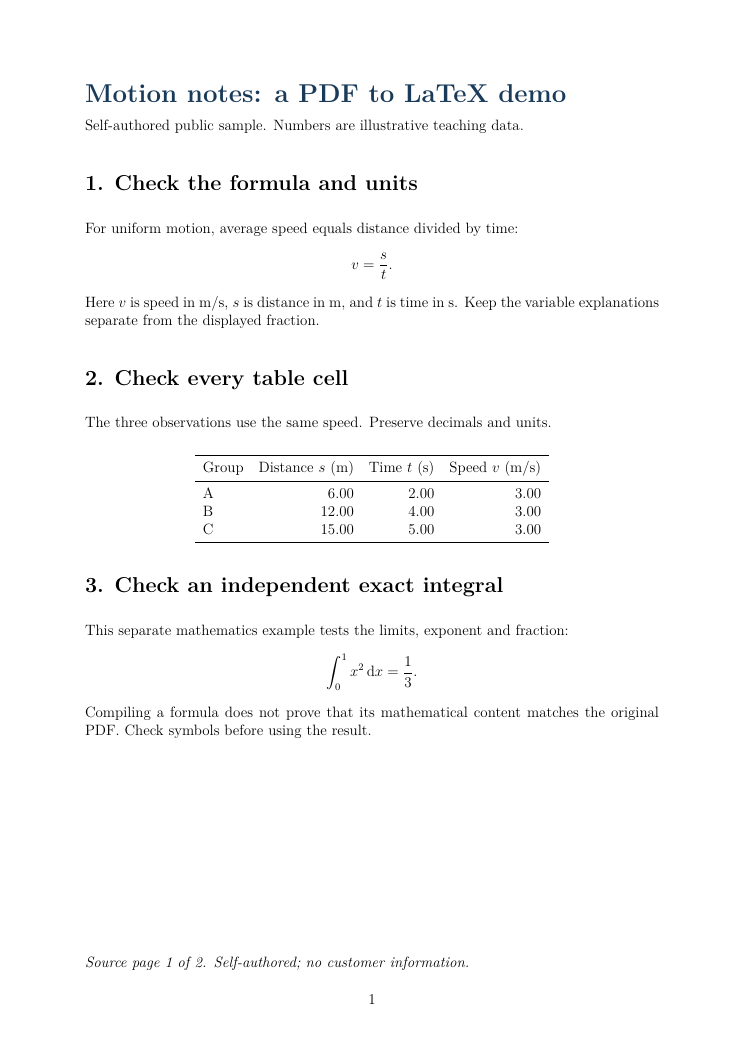
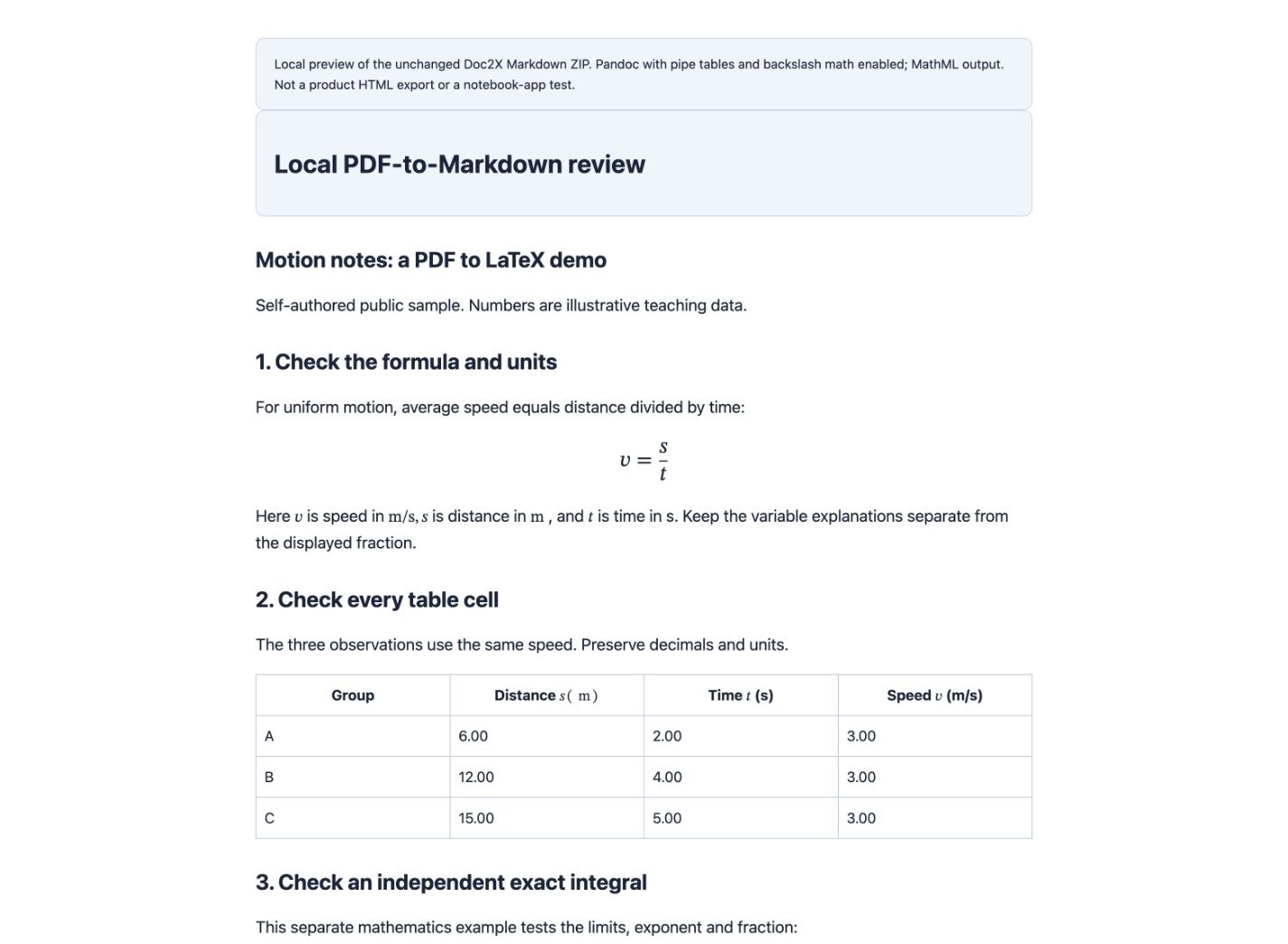
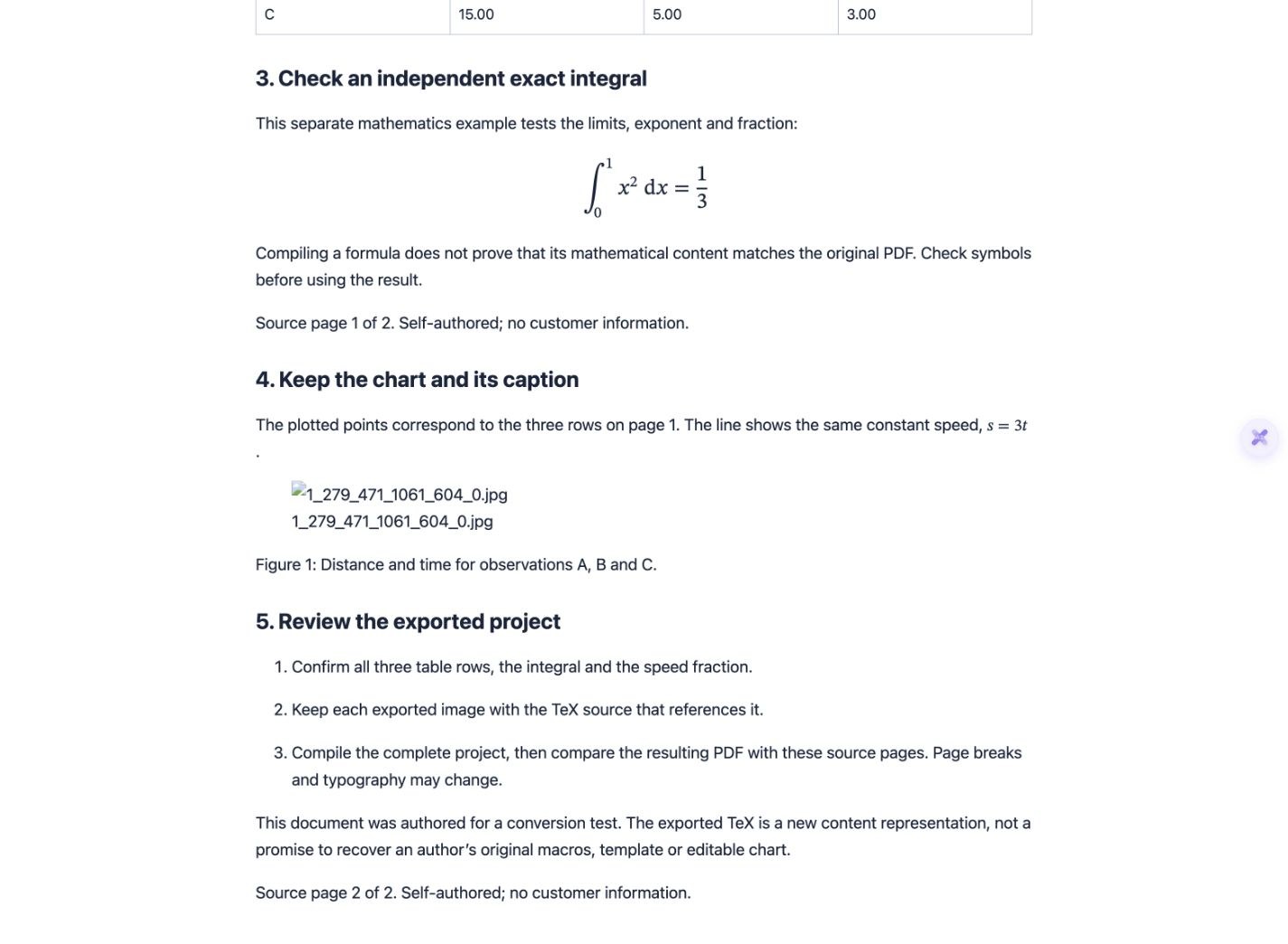
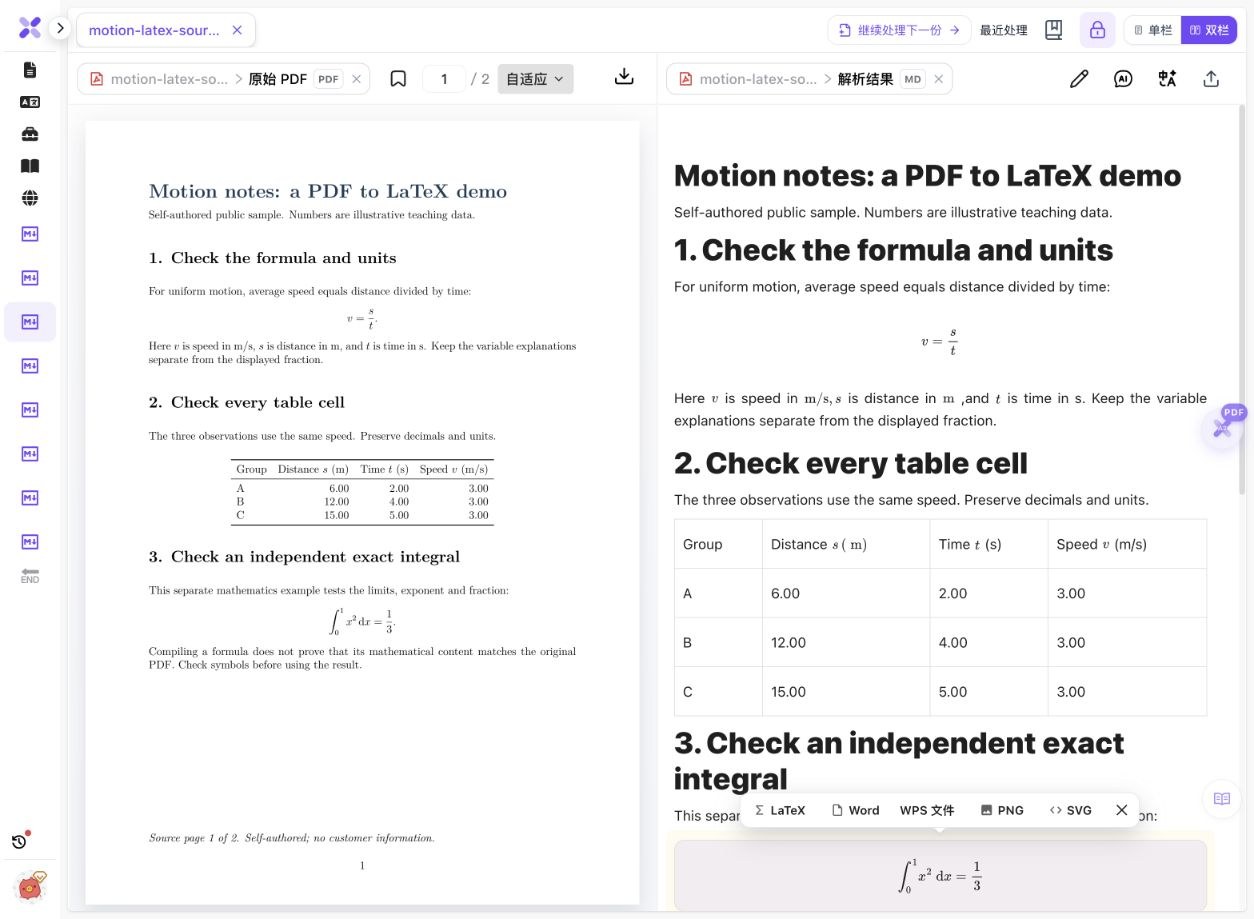
On 14 October 2026, we exported Markdown from the completed result of our two-page English motion-notes sample. It was originally authored for a LaTeX test, so that title and wording remain in the PDF and MD. The original download is unchanged; the previews below are separately generated local displays of that same MD.
 Enlarge image ↗
 Enlarge image ↗
 Enlarge image ↗
 Enlarge image ↗
 Enlarge image ↗
 Enlarge image ↗
| Group | Distance s (m) | Time t (s) | Speed v (m/s) |
|---|---|---|---|
| A | 6.00 | 2.00 | 3.00 |
| B | 12.00 | 4.00 | 3.00 |
| C | 15.00 | 5.00 | 3.00 |
- The 17,402-byte native ZIP contains a 1,916-byte MD and a 27,456-byte JPG. The MD uses a relative images/ path, and that exact file is present in the complete package.
- Numbered sections 1–5 stay in order. The title and all five section headings use level-two Markdown headings; original page geometry and typography are not retained.
- The speed fraction and integral are present, with two display and eight inline math spans. The table has three data rows; values such as 6.00 and 3.00 remain literal text, not spreadsheet number cells.
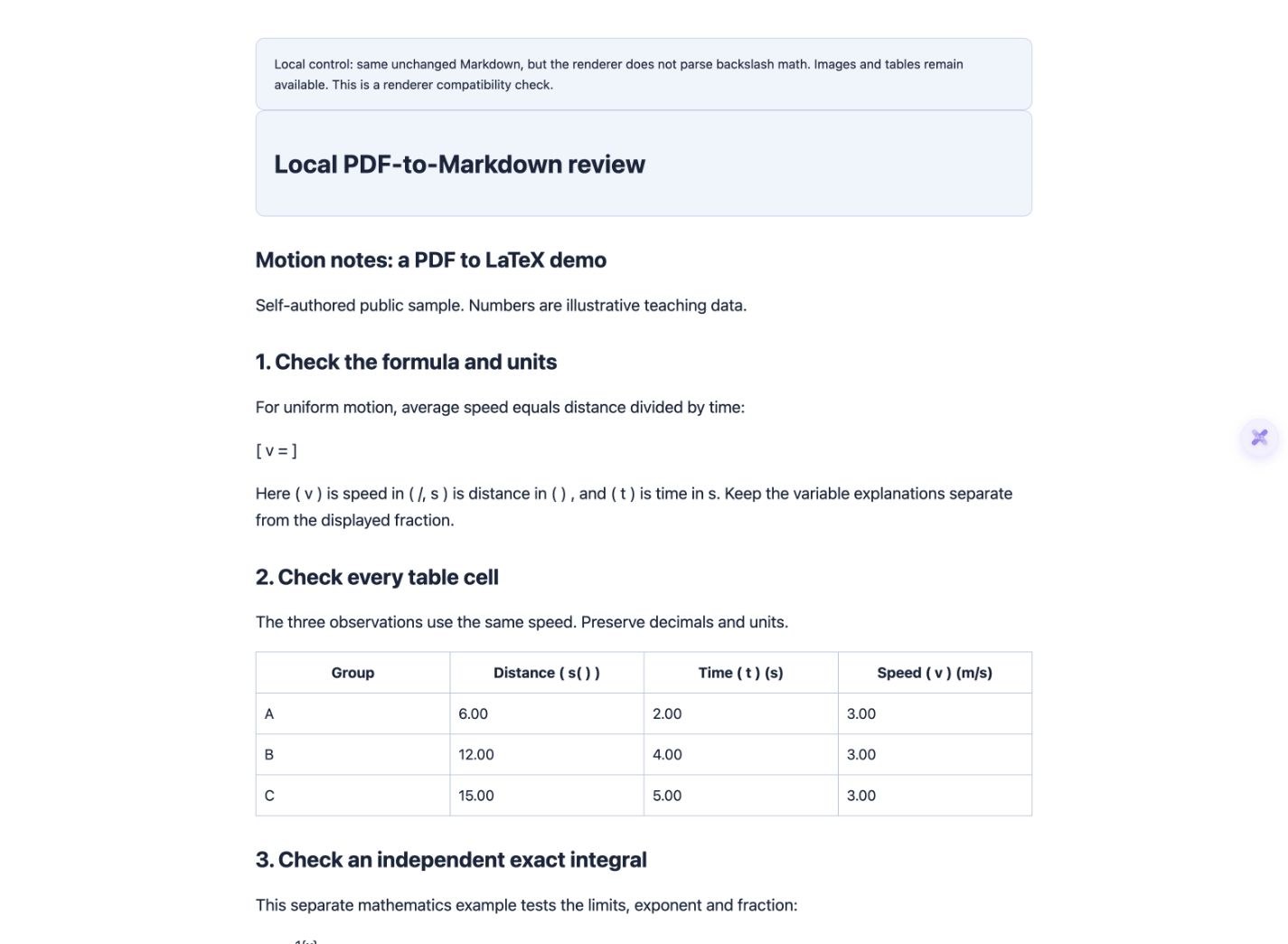
- With pipe-table and backslash-math support enabled, the local display contains ten math expressions, three data rows and one loaded picture. Omitting the picture folder breaks only the image in this control.
- With math parsing disabled in the local renderer, the image and table remain, but no math nodes are generated and parts of the equations disappear. The underlying MD is byte-identical in all three cases.
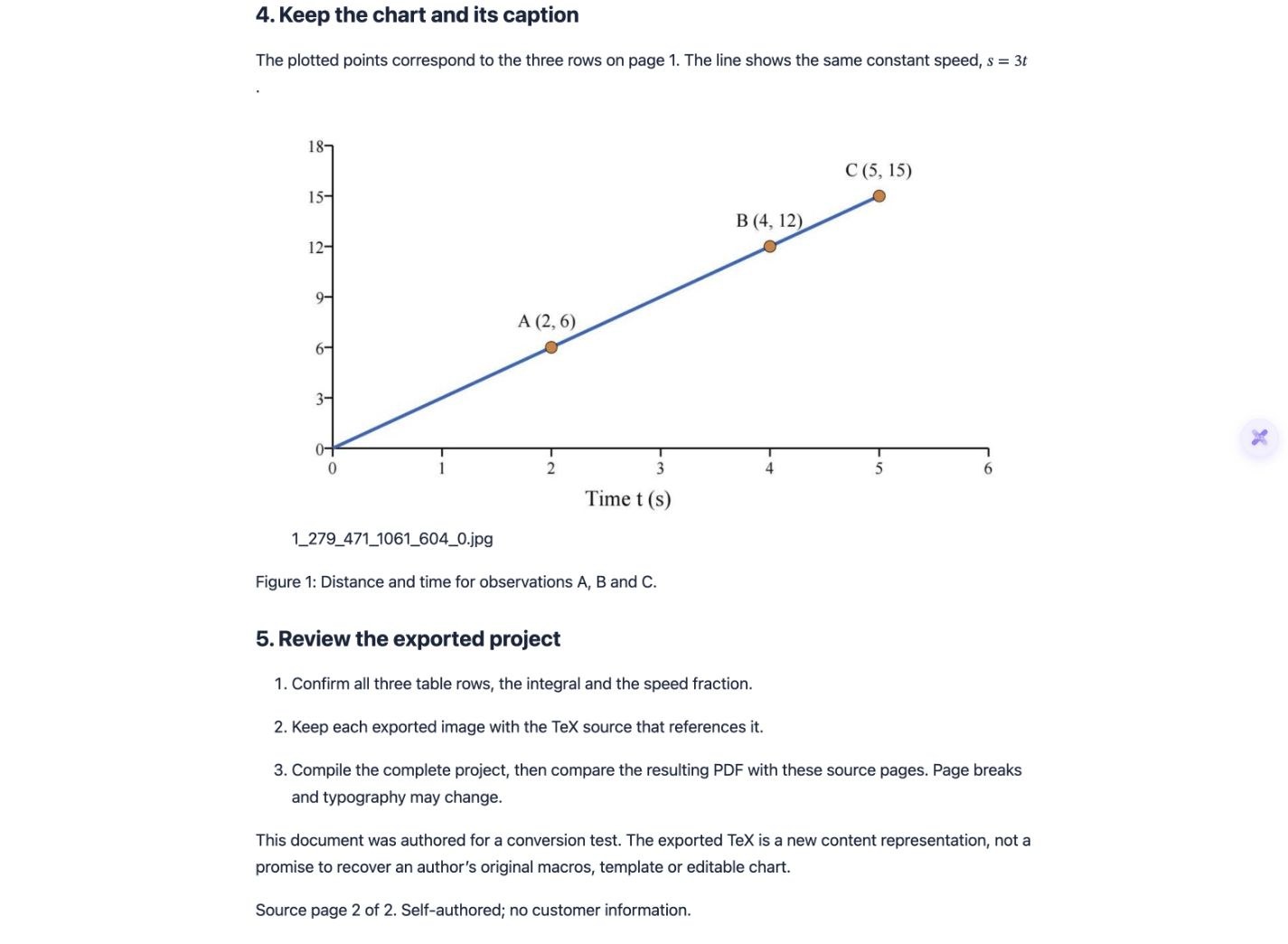
- The chart’s top label is missing from both its exported image and MD. Its caption remains. Compare the original second PDF page; correct paths and rendering cannot restore content omitted earlier.
The input is a simple digital, self-authored PDF, not a physical scan or an accuracy benchmark. Local previews use Pandoc 3.4 and browser MathML with an added stylesheet and explanatory notice; they are not product HTML exports or tested Typora/Obsidian imports. The recognition result and native MD were not edited. The original sample’s references to TeX describe its original purpose, not the format of this download.
What to check
Parse the PDF, review the recognized content and choose Export document → Markdown (导出文档 → Markdown). For portable notes, choose local image packaging, download the ZIP and extract the MD together with its images folder. Open the result in a renderer that supports the exported table and math syntax. A missing picture or malformed equation can be a file-path or display problem even when its source is present in the MD.
- Real download
- One Markdown file plus one JPG in an images folder.
- Table check
- Three data rows and their displayed decimal values remain in a pipe table.
- Formula check
- Two display equations and eight inline math spans use backslash delimiters.
- Known limit
- The exported chart omits its top label; opening the file successfully does not fix that omission.
Inspect paths and delimiters in the exported source
The complete extracted package
motion-latex-source.md
images/
  1_279_471_1061_604_0.jpg
Keep the relative directory structure. The standalone MD download is provided for source inspection; use the ZIP to obtain the picture.
Actual image reference
The path is resolved relative to the MD’s location. Changing folders without updating the path can create a broken image even though the original ZIP was complete.
Actual display formula
\[
v = \frac{s}{t}
\]
This export uses backslash delimiters. The receiving renderer must support them, or you must deliberately adapt a working copy to its supported math syntax.
Separate source, packaging and display problems
| Symptom | Check first | Next step |
|---|---|---|
| Picture missing, caption present | Does the referenced file exist at that relative path? | Extract the complete ZIP and preserve the directory |
| Formula looks like text or loses parts | Is the formula present in MD; does the renderer support its delimiters? | Enable supported math handling or adapt a copy |
| Table appears as pipes or raw HTML | Which table syntax did you export? | Use a compatible renderer and check every cell |
| Two columns appear in the wrong order | Compare paragraphs with reading regions in the PDF | Reorder reviewed complete sections in a copy |
| A chart label is absent from both MD and image | Compare the exported crop with the original page | Review the recognition/source; moving files will not repair it |
PDF to MD is a content conversion
Markdown organizes headings, paragraphs, links, tables and math for further editing. It does not retain the PDF’s fixed page positions. In the example, headings are linear and use ##. Keep the PDF when page geometry, original annotations or precise visual comparison matters.
Keep images beside the Markdown file
A local image package is useful for archiving because the MD and referenced image travel together. The tested ZIP includes one JPG. Online-image links are a different option, with a 30-day validity notice in the current export interface; do not assume those links are permanent.
Choose table syntax for the destination
This example uses a simple four-column pipe table. The current interface also offers HTML tables. A renderer must support the chosen syntax, and merged cells or complex styling need separate checks. For calculations, use an Excel export and verify data types instead of treating Markdown table strings as spreadsheet cells.
Formula source and formula rendering are separate
The unchanged MD contains the fraction and integral even when a local preview fails to render them. Backslash brackets and dollar delimiters are not interchangeable in every editor. First inspect the source, then the renderer settings; changing display settings cannot correct a misrecognized exponent or missing symbol.
A complete package can still contain omissions
The chart file loads and its caption remains, but its original top label is absent from the exported crop. All files being present establishes packaging completeness only. Inspect captions, axes, footnotes and heading levels against the original PDF before trusting the content.
Review reading order before preparing a knowledge base
A single-column example cannot validate multicolumn papers or cross-page tables. Review actual reading regions and keep source-page references during later cleanup or chunking. Exporting MD does not automatically build a searchable knowledge base, recover source coordinates or establish correct citations.
Detailed tool instructions
English Help explains file formats, export configuration and checking the actual downloaded result.
Troubleshooting
- The MD opens but the chart is missing
- Check whether you copied only the MD. Extract the complete native ZIP and compare its image path with the actual directory.
- The file works in one preview but not another
- Check math extensions, delimiter style, pipe-table/HTML support and relative image handling in the destination.
- The chart appears, but a label is still absent
- Inspect the source PDF and exported crop. The demonstrated top-label omission is a content issue, not an image-path failure.
- I need an editable chart or spreadsheet
- The downloaded chart is a JPG. Use the appropriate table export for recognized cells; no editable chart or automatic reconstruction is demonstrated here.
Frequently asked questions
How do I convert PDF to Markdown with images?
Parse and review the PDF, choose Markdown with local image packaging, download the ZIP and extract all files together. This actual example contains one MD and one referenced JPG.
Is PDF to MD the same task as PDF to Markdown?
Yes. MD is a common filename extension for Markdown. Use the same workflow and check its resources and syntax instead of seeking a different converter for the abbreviation.
Will the formulas work in every Markdown editor?
No. This export uses backslash delimiters, and renderer support varies. The local control shows incomplete equations when that math parsing is disabled, even though the source file is unchanged.
Were these previews tested in Typora or Obsidian?
No. They are clearly labelled Pandoc and Chrome controls. Test a representative section in your actual target app before importing the whole document.
Does the example preserve every source detail?
No. Heading levels and layout differ, and the chart’s top label is omitted. The original PDF and native files are available so you can inspect those differences.
Do I have to upload again to export another format?
For an existing completed result, open its export dialog. This Markdown download reused the prior result without another upload or OCR task.
Checked: 2026-10-14. Check the current tool for limits and conditions.