
On this page
Use the PDF route only after checking the visible formulas
- Keep the original DOCX and identify its equations: MathType objects, native Word equations or ordinary images. If your supported plugin works, review the official object-conversion route below first.
- For PDF recognition, save or obtain a PDF from software that displays the equations correctly. Check every matrix row, fraction, subscript and piecewise condition before uploading.
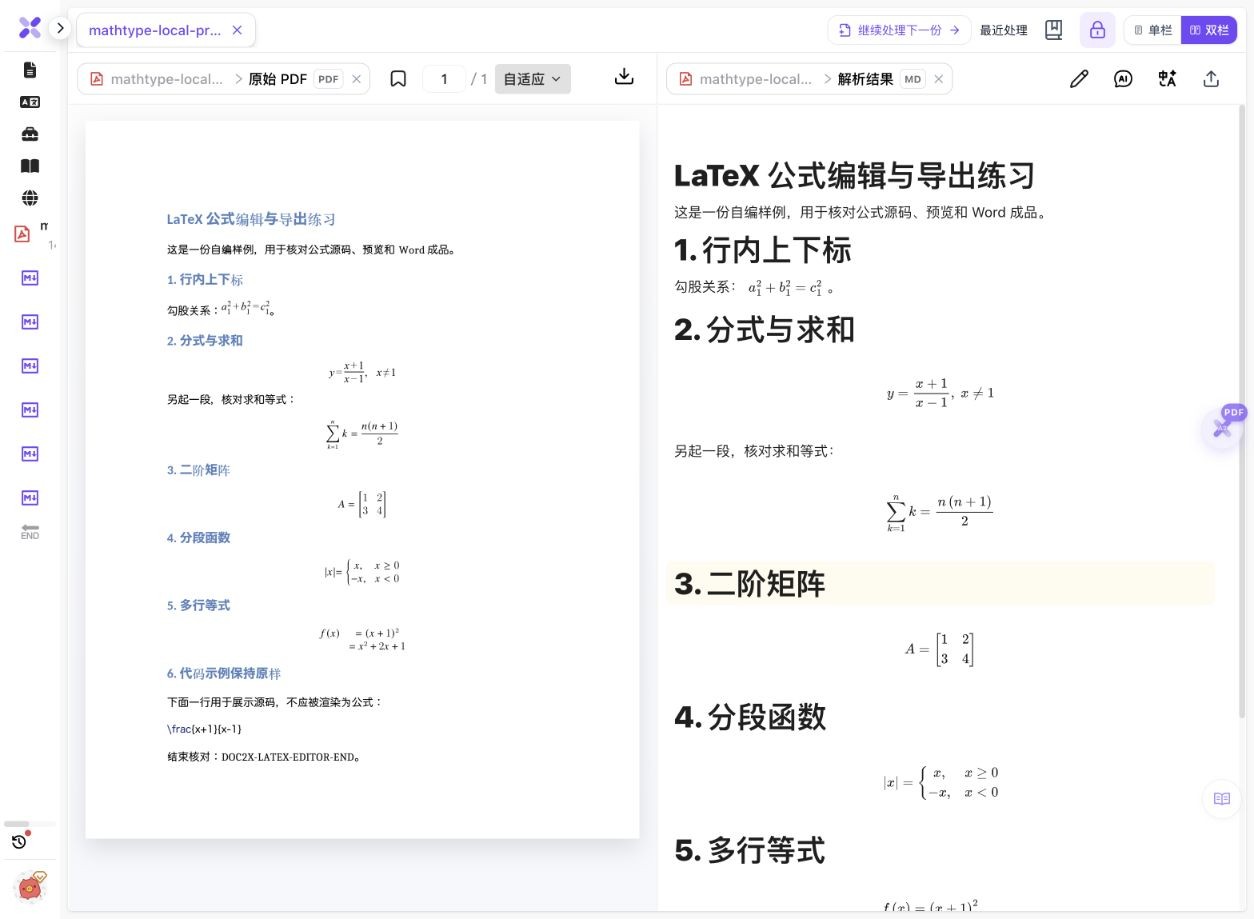
- In Doc2X parsing, choose Start parsing file (开始解析文件), select the PDF and confirm Start parsing (开始解析). This example parsed one page.
- Compare the recognized formulas against that page, then choose Export document (导出文档) → LaTeX → Start export (开始导出).
- Extract the complete ZIP. The actual package here contains one TEX and an empty images folder. Review its mathematical content and preamble before choosing a compiler.
- Compile and compare the result with the PDF. Preserve the native download and edit a separate copy; successful compilation does not establish mathematical correctness or original-source recovery.
The direct DOCX conversion attempt did not produce a confirmed PDF in this check. The tested input is an existing local LibreOffice rendering, not that unconfirmed conversion output. Check current parsing and export access.
Six MathType formulas, recognized from a one-page PDF
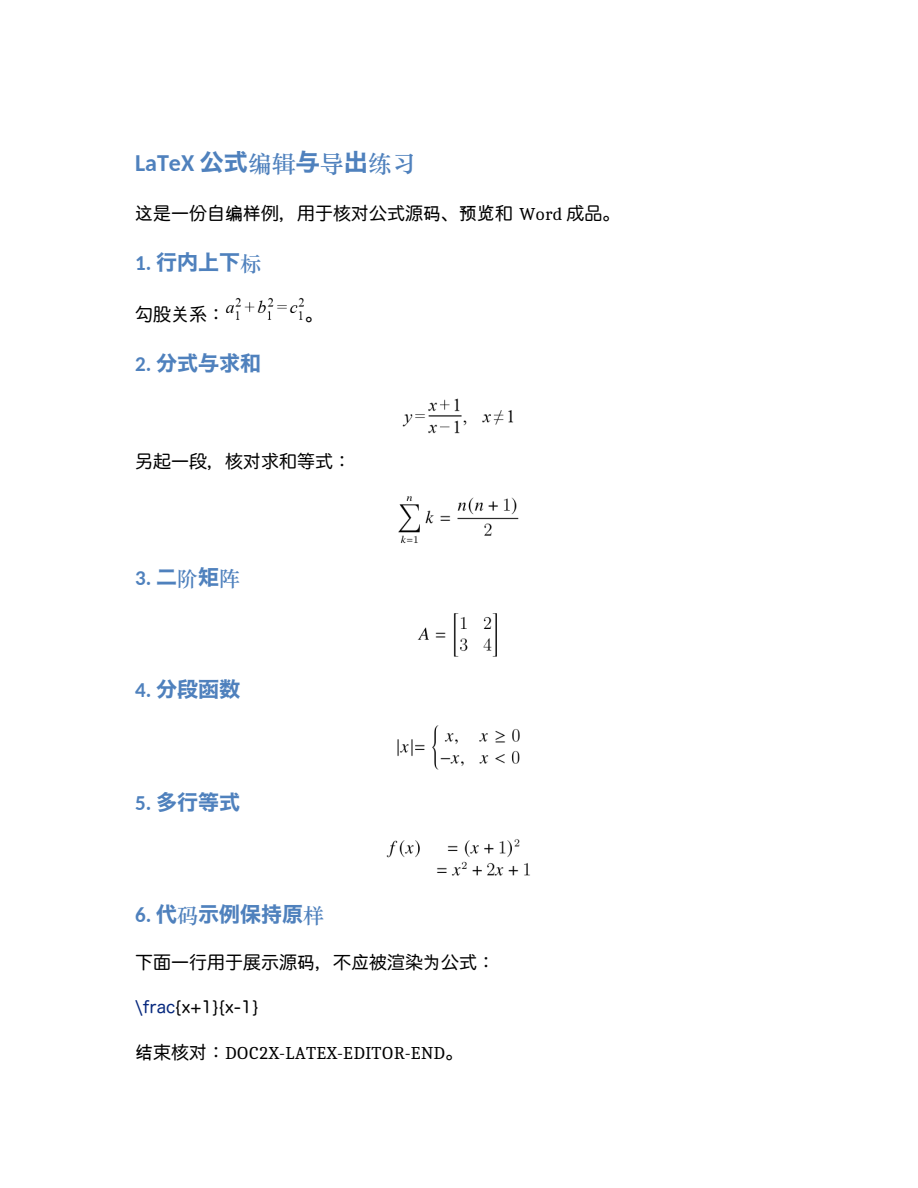
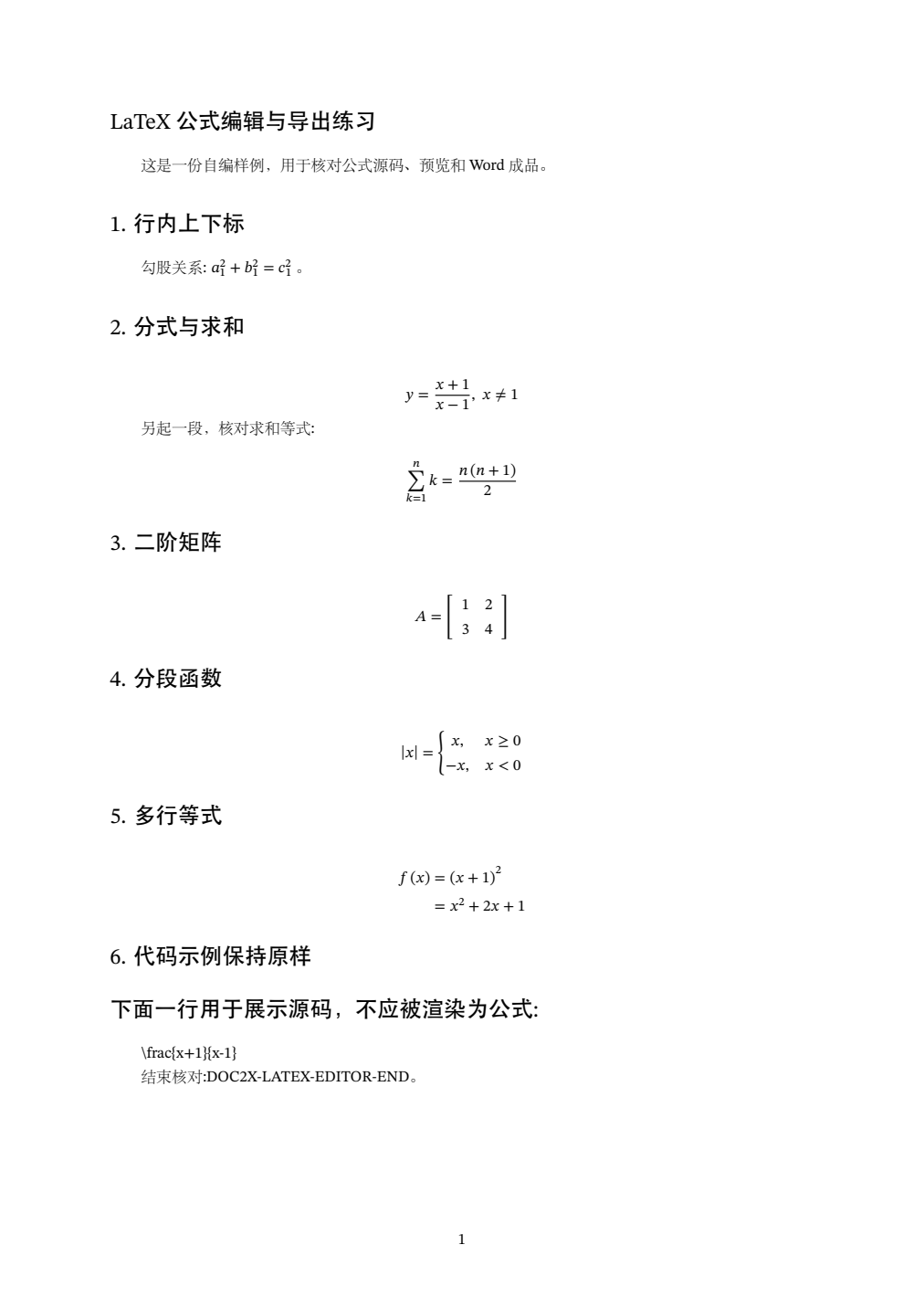
On 14 October 2026, we uploaded the existing local PDF rendering of an authored six-formula MathType DOCX. We parsed one page and downloaded a native LaTeX ZIP. The original DOCX, PDF input, original authored source and new TEX are supplied separately so their roles remain clear.
 Enlarge image ↗
 Enlarge image ↗
| Expression | Reviewed content | New syntax |
|---|---|---|
| Subscripts and squares | a₁²+b₁²=c₁² | Extra braces and spacing |
| Fraction and domain | (x+1)/(x−1), x≠1 | neq replaces ne |
| Sum | k=1 to n, with n(n+1)/2 | mathop and limits |
| 2×2 matrix | Rows 1,2 and 3,4 | array plus brackets replaces bmatrix |
| Piecewise function | x for x≥0; −x for x<0 | matrix plus left brace replaces cases |
| Aligned equations | f(x)=(x+1)², then =x²+2x+1 | Two aligned lines; spacing changes |
- The native DOCX has six MathType objects and six preview images. The input to this recognition run is a PDF of their visible appearance, not the embedded OLE data.
- The native ZIP contains mathtype-local-preview.tex and an empty images directory. Its body has one inline formula and five display blocks.
- Unchanged TEX compiled to one page locally with XeLaTeX / TeX Live 2023. Font warnings remain, and typography differs from the input PDF.
- The plain backslash code example stays ordinary text, while its preceding sentence becomes a section heading. Formula structure, source syntax and document hierarchy need separate checks.
Input and output previews come from local LibreOffice and XeLaTeX respectively, not Word/MathType plugin UI. Native DOCX, ZIP and TEX bytes are unchanged; the comparison ZIP is assembled locally. The attempted online DOCX conversion remained unconfirmed; its fallback accepted the already checked PDF and displayed an existing-result prompt. This single attempt does not establish universal DOCX support or failure. The official plugin route was not installed or executed in this test.
What to check
If your existing MathType objects open in a supported MathType 7/Word environment, start with the official Convert Equations workflow and an appropriate LaTeX translator. If you have a correctly rendered PDF instead, recognize its visible formulas and export new LaTeX. These are different routes: the actual PDF test here does not extract OLE/MTEF data or recover the original source syntax.
- Source objects
- The original DOCX contains 6 Equation.DSMT4 objects with 6 associated preview images.
- Tested route
- An existing local PDF rendering was uploaded and parsed; its visible equations were recognized.
- Native output
- One TEX file, 1 inline formula and 5 display blocks; the images folder is empty.
- Syntax changes
- Matrix and piecewise environments change, even when their reviewed values and conditions remain.
The matrix values remain, but the source changes
Original authored source
A=\begin{bmatrix}
1 & 2 \\
3 & 4
\end{bmatrix}
This is ground truth from the authored Markdown, not recovered OLE content.
Actual recognized TEX
A = \left\lbrack \begin{array}{ll} 1 & 2 \\ 3 & 4 \end{array}\right\rbrackThe native output preserves the reviewed 2×2 values through a different environment. The downloaded source has not been rewritten to match the original.
Choose the route your files and software support
| What you have | Route | Evidence here |
|---|---|---|
| MathType objects and a working Word integration | Official Convert Equations with a suitable translator | Official instructions; no local plugin test |
| A PDF that displays the formulas correctly | Recognize the PDF, then export LaTeX | One-page actual recognition and download |
| An unconfirmed or incorrect DOCX conversion | Check a separately saved PDF and use the available fallback | Fallback PDF loading and existing-result prompt observed |
| Original LaTeX or Markdown source | Reuse the source and adapt the target preamble | Avoid unnecessary visual recognition |
| Only ordinary formula pictures | Recognize clear images and review each result | Pictures are not existing MathType objects |
Convert supported MathType objects in Word
WIRIS documents the MathType 7/Word Convert Equations command. Work in a copy, choose the source types actually present and the intended scope, then select a translator. Its recommended standard-LaTeX option is MathJax:LaTeX. Confirm the installed product and version; this guide does not treat MathType 7, the Microsoft 365 add-in and WPS as interchangeable integrations.
The plugin output is not automatically a complete paper project
The official instructions state that you still need an appropriate preamble and other document commands. Keep bibliography data, image resources, journal classes and custom macros separately; converting equations does not recover every part of an original project.
What the actual PDF route establishes
The source DOCX has six MathType objects. Its PDF was generated locally before this run; Doc2X recognized the visible formulas and generated new TEX. That proves the documented small-sample path, not direct parsing of OLE/MTEF or reconstruction of its original LaTeX representation.
Check mathematical structure before normalizing syntax
The matrix remains two rows by two columns with values 1,2 and 3,4. The piecewise conditions remain x≥0 and x<0. Environment names and whitespace can change without changing those reviewed values, while a missing negative sign or swapped row would matter. Check content first, then edit notation in a copy.
When the DOCX preview is not confirmed
This attempt showed an unconfirmed-conversion message. The fallback accepted the known local PDF and then offered its existing parse; no duplicate parse was requested from that prompt. The cause was not established, so a universal MathType-DOCX failure claim would be unsupported. Always inspect the PDF you actually use.
Preserve source, native output and your revision separately
The new TEX differs from the original Markdown and changes a heading boundary. It does not preserve Word comments, equation editing objects or original typography. Keep the DOCX and input PDF for review, and distinguish recognized output from manually corrected source.
Detailed tool instructions
English Help compares native MathType objects with an image-only control; appearance alone does not establish the object type.
Official references
Troubleshooting
- The Convert Equations command is missing
- Check the installed MathType product, Word integration and current vendor support. The documentation here is scoped to MathType 7/Word.
- The DOCX preview is still unconfirmed
- Use the visible recovery options for that task or a separately checked PDF. Do not treat waiting as successful conversion.
- The TEX differs from the original notation
- Compare mathematical structure and scope. This sample changes bmatrix/cases syntax; recognition does not promise identical source bytes.
- The equations convert but the paper will not compile
- Check preamble, fonts, packages, images and bibliography. Equation conversion and complete-project recovery are separate tasks.
Frequently asked questions
Can MathType equations in Word become LaTeX?
Supported MathType 7/Word integrations have an official object-conversion workflow. A checked PDF can also be recognized into new LaTeX. This page tests the PDF route and cites the official plugin route separately.
Did this test read MathType OLE data directly?
No. The DOCX object structure establishes the source, but the actual recognition input is its one-page PDF rendering.
Does a DOCX containing equation PNGs have only pictures?
Not necessarily. This native sample has six embedded objects and six associated previews. Check object relationships rather than counting images alone.
Will the output reproduce the original LaTeX?
Not byte-for-byte in this example. Matrix and piecewise syntax, delimiters and spacing change; the six fixed expressions were reviewed individually.
Checked: 2026-10-14. Check the current tool for limits and conditions.